Skip to contents
Etienne B. Racine ()

2023-08-20 (R version 4.2.2 and raster package version 3.6.23)

Source code and package available at https://github.com/etiennebr/visualraster. Suggestions, contributions, feature request, and bug report are appreciated and help to keep that project alive.

I/O

Input and output operations, load or write data

raster

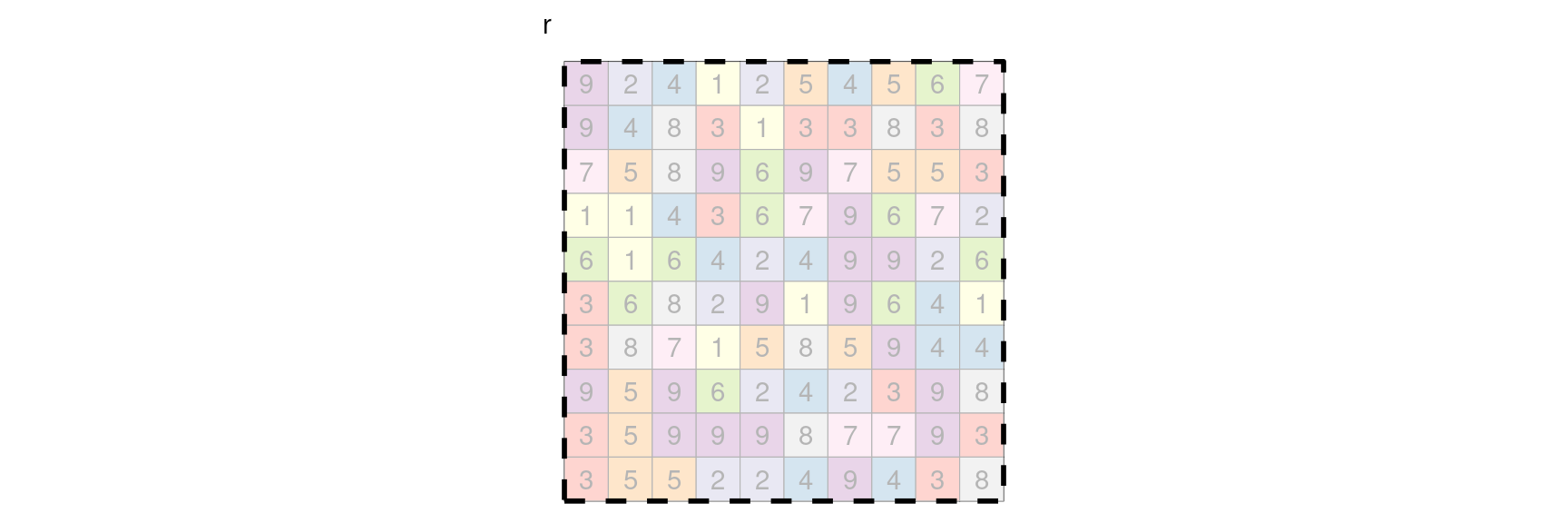
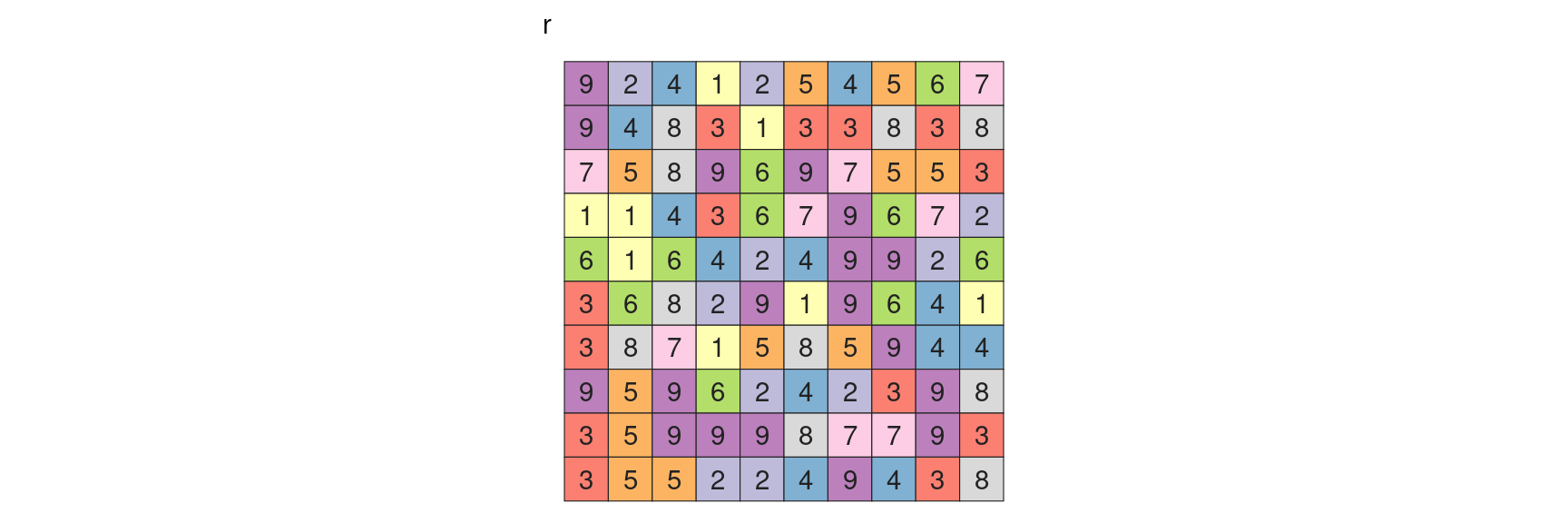
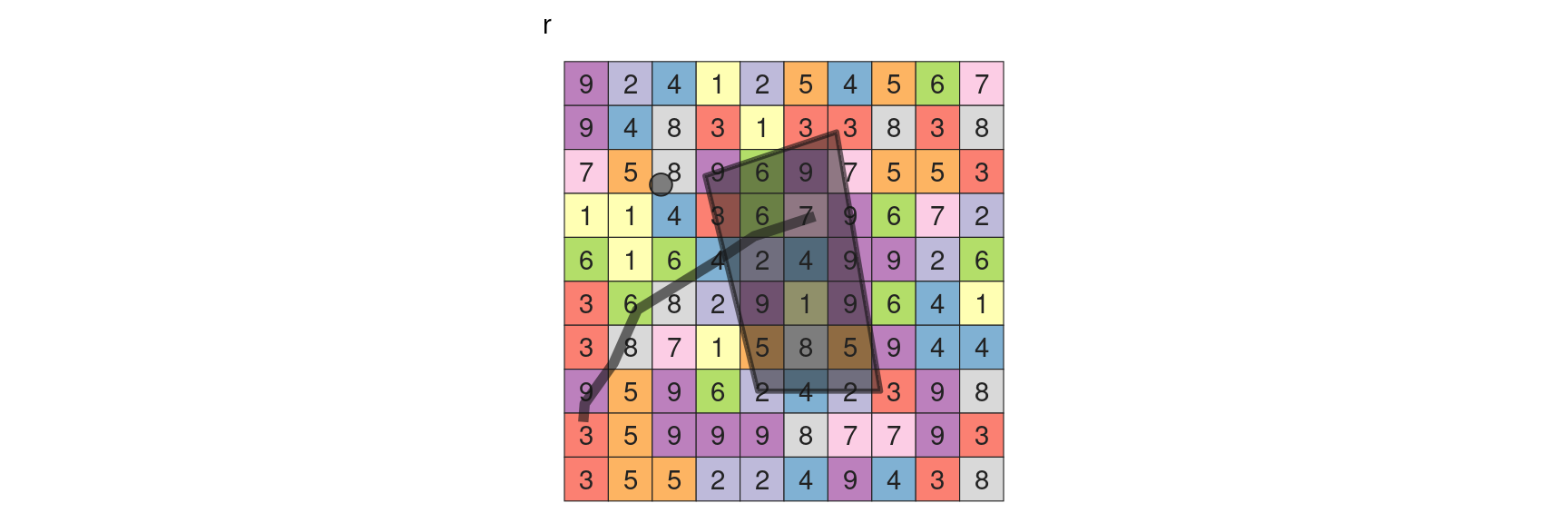
r = raster(matrix(sample(1:9, 100, replace = TRUE), 10, 10))

write

writeRaster(r, "raster.tif")

read

r = raster("raster.tif")

Local

Local analysis consider cells independently

Access
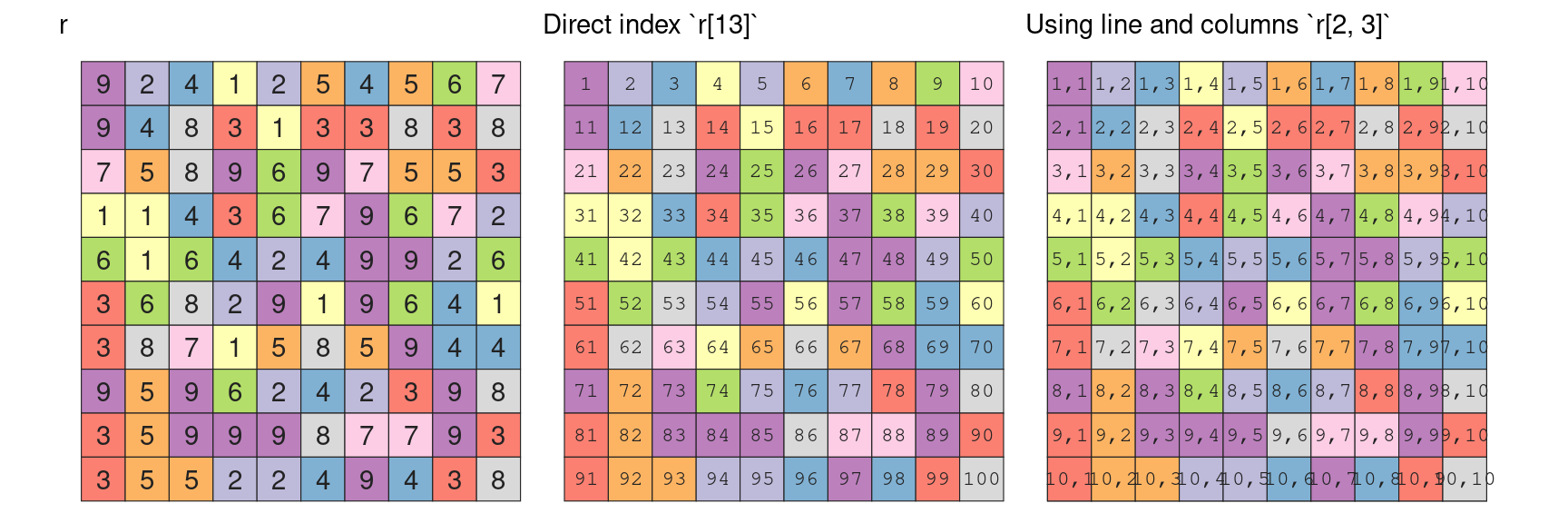
r[13]
#> [1] 8
r[2, 3]
#> [1] 8
r[2,  ]
#>  [1] 9 4 8 3 1 3 3 8 3 8
r[ , 3]
#>  [1] 4 8 8 4 6 8 7 9 9 5
#r[2:3, , drop = FALSE] |> lh()

Add vectors
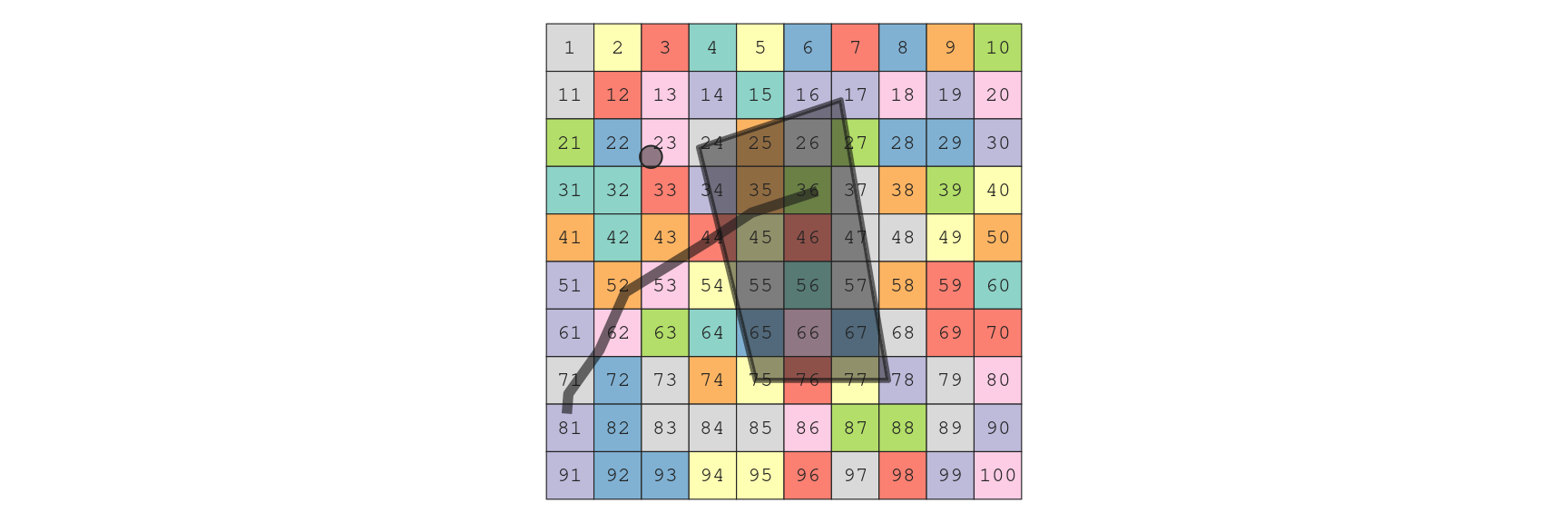
Cell from point

cellFromXY(r, pt)
#> [1] 23
colFromX(r, pt$x)
#> [1] 3
rowFromY(r, pt$y)
#> [1] 3
fourCellsFromXY(r, as.matrix(pt))
#>      [,1] [,2] [,3] [,4]
#> [1,]   23   33   32   22
Cell from line

cellFromLine(r, ln)
#> [[1]]
#>  [1] 35 36 43 44 45 52 53 62 71 72 81

Cell from polygon

cellFromPolygon(r, poly)
#> [[1]]
#>  [1] 25 26 34 35 36 37 45 46 47 55 56 57 65 66 67

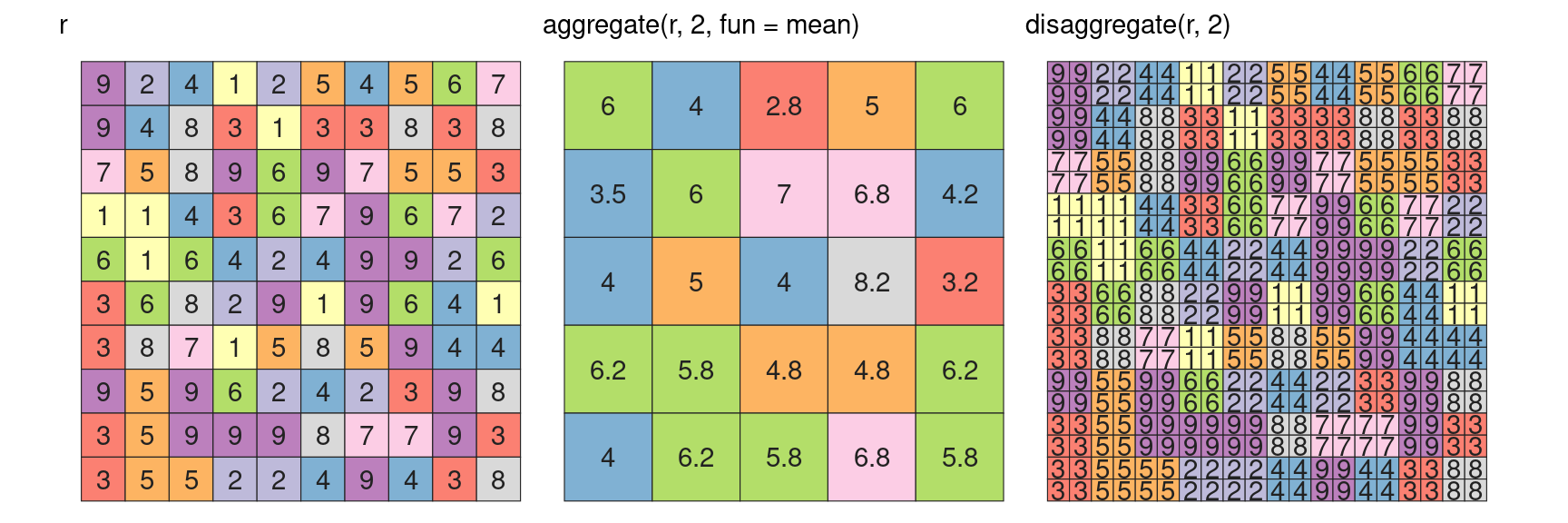
aggregate - disaggregate

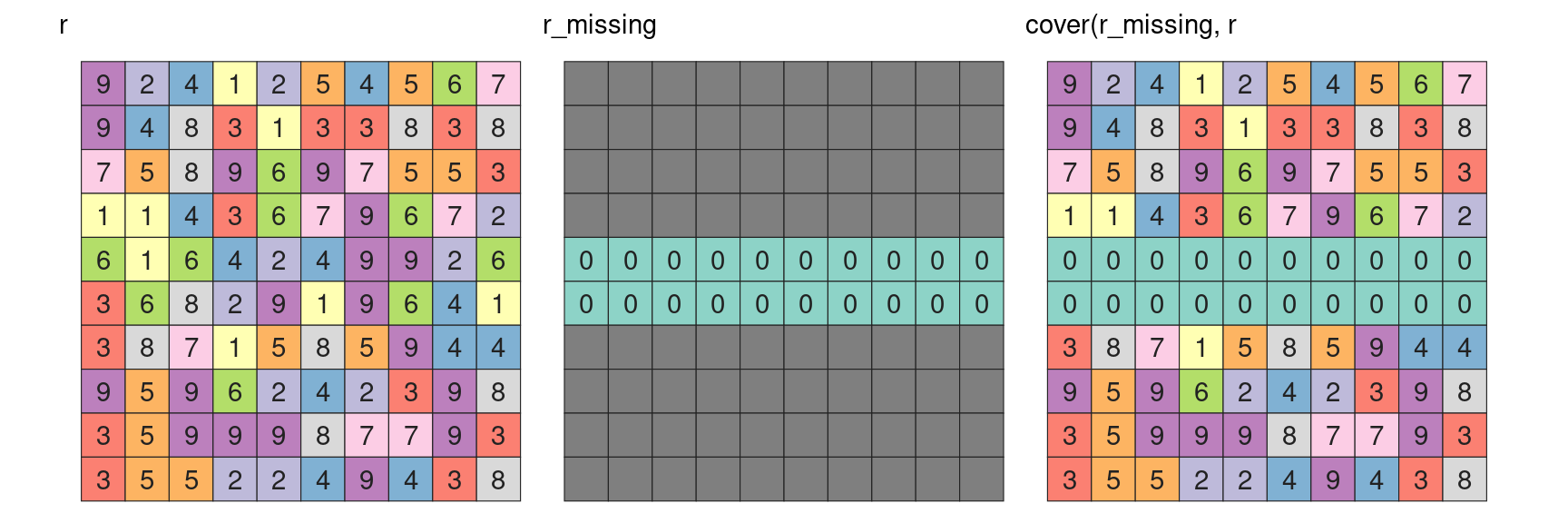
cover

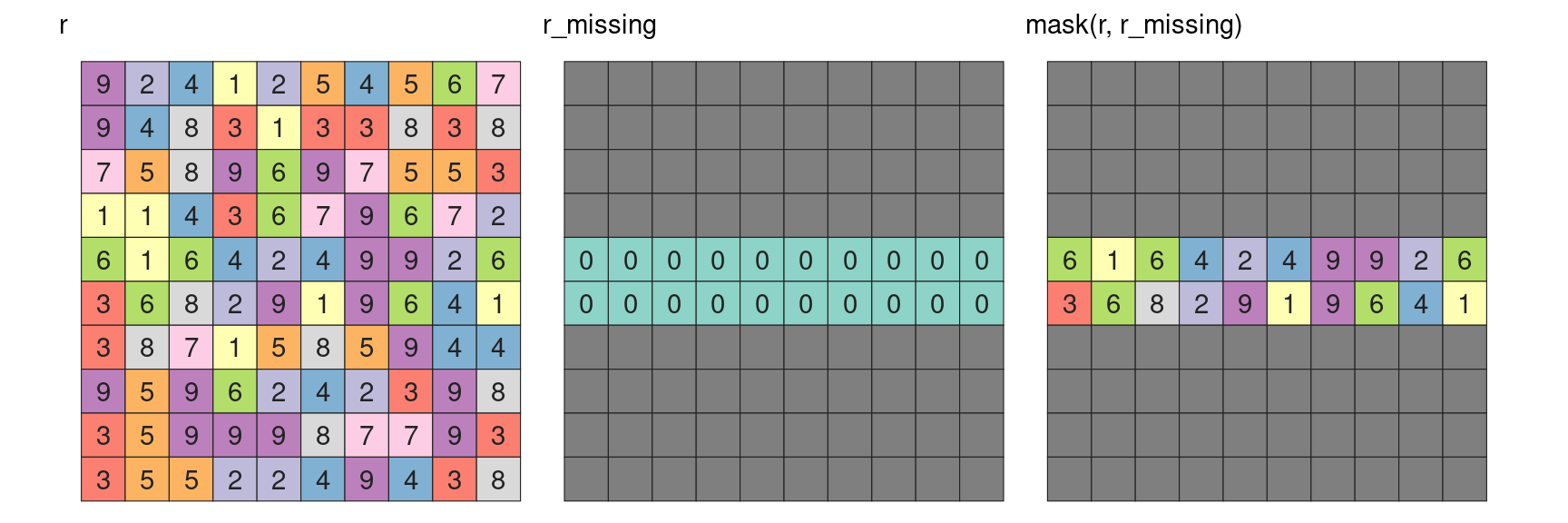
mask

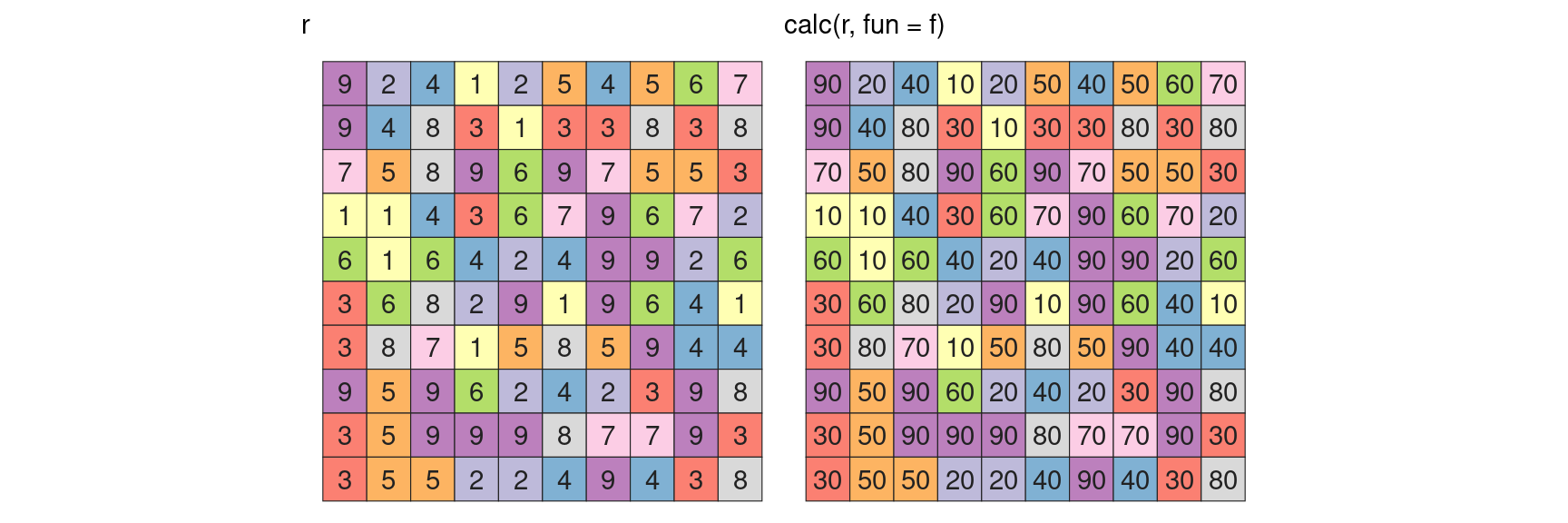
calc

f = function(x) { x * 10 }

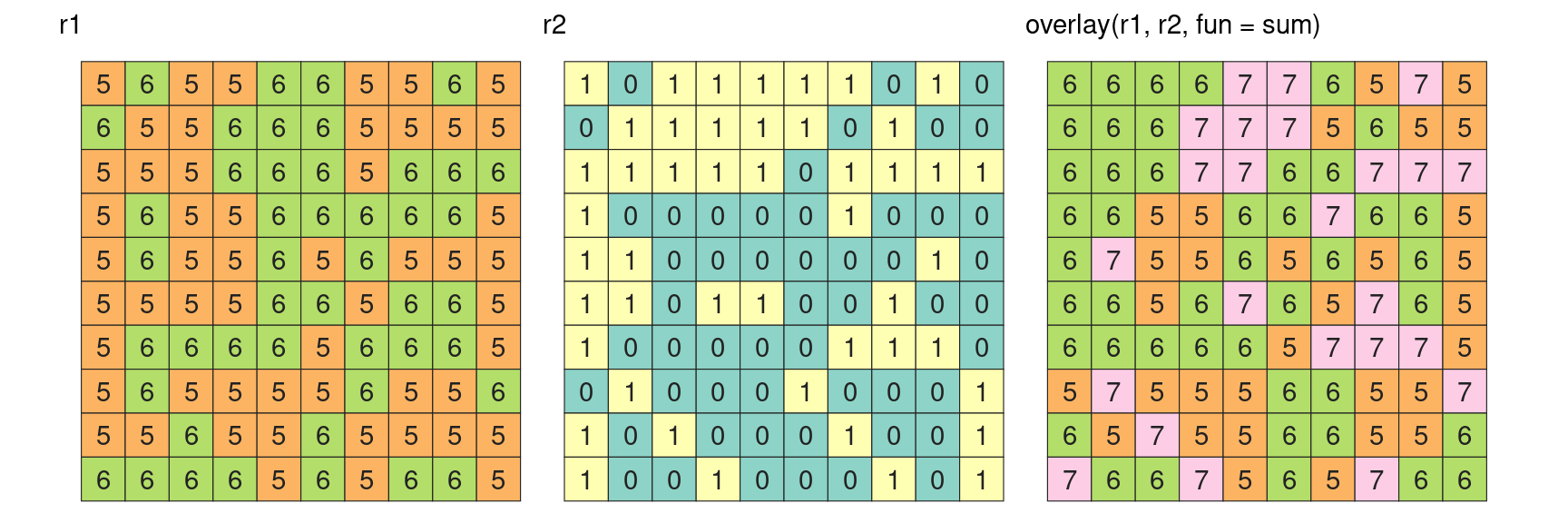
overlay

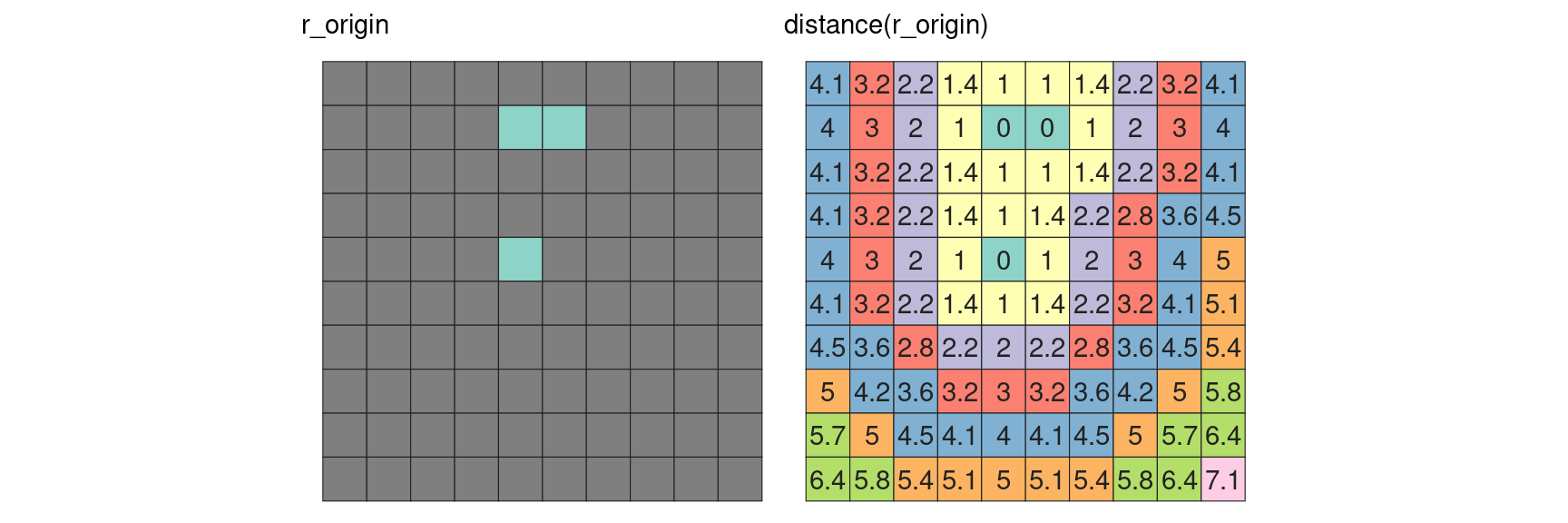
distance

We need a raster containing origins to compute distances (so we need units)

r_origin = raster(matrix(NA, 10, 10))
extent(r_origin) = extent(c(0, 10, 0, 10))
projection(r_origin) = "+proj=tmerc +lat_0=0 +lon_0=0 +x_0=0 +y_0=0 +units=m"
r_origin[c(15, 16, 45)] = 0

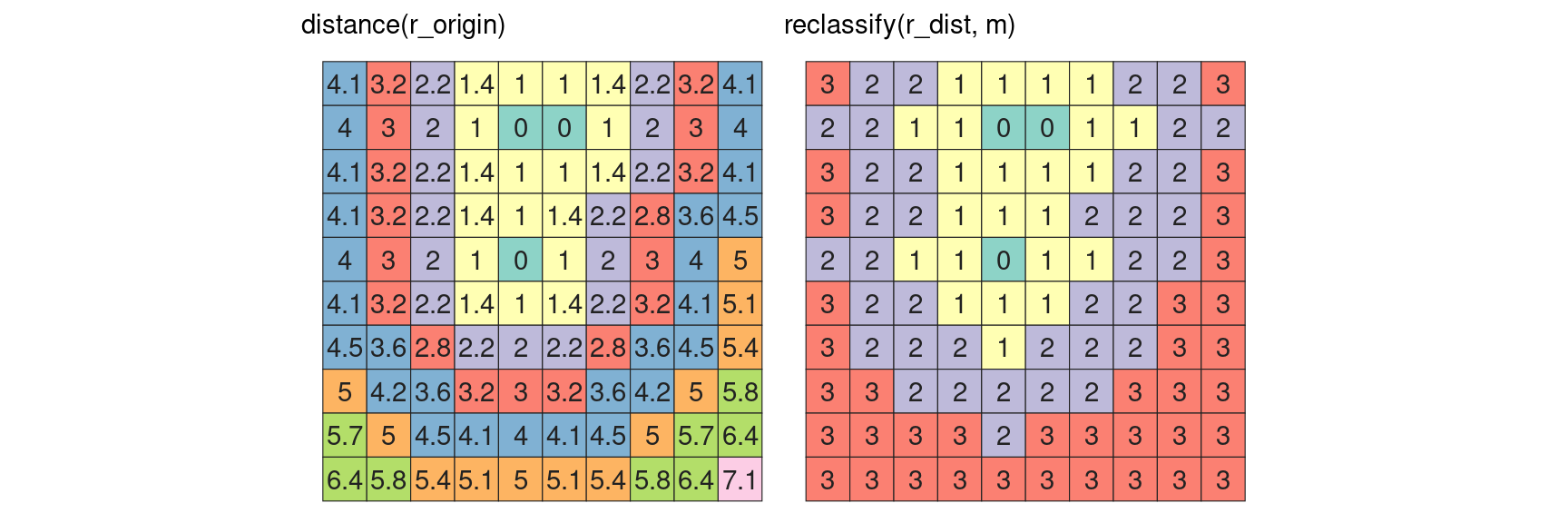
reclassify

m = cbind(
  from    = c(0, 2, 4), 
  to      = c(2, 4, 8), 
  becomes = c(1, 2, 3)
)
from to becomes
0 2 1
2 4 2
4 8 3

Focal

Focal analysis consider a cell plus its direct neighbours in a contiguous and symetrical manner

focal

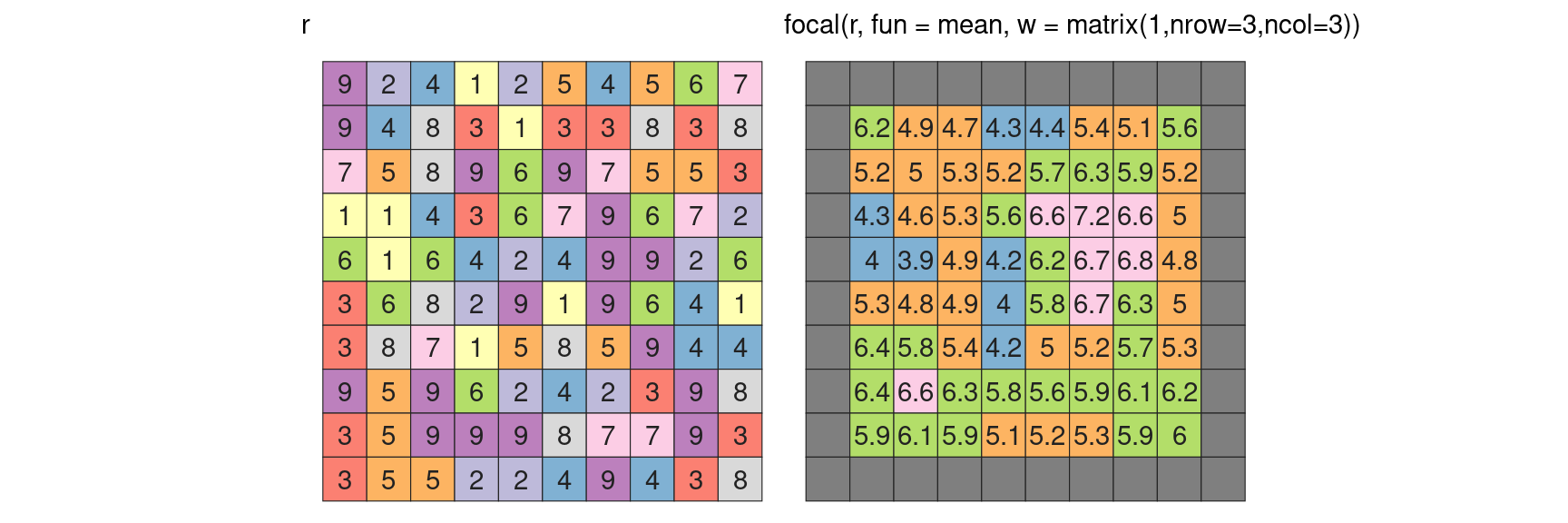
r_focal = focal(r, fun = mean, w = matrix(1,nrow=3,ncol=3))
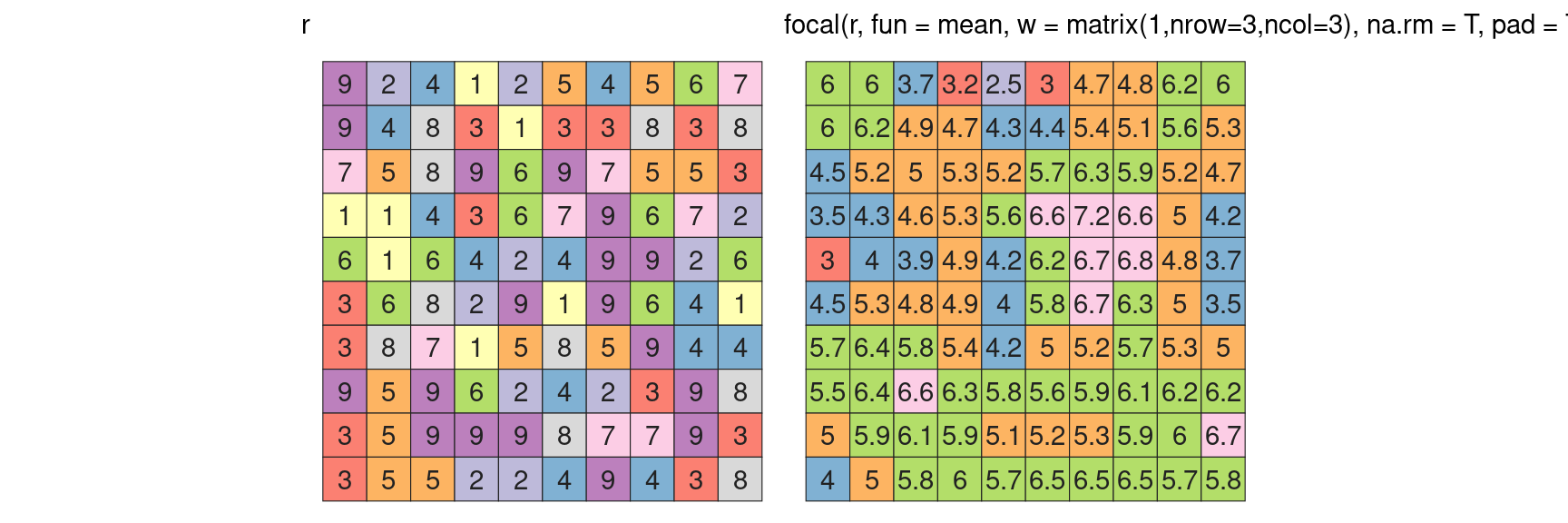
One can remove edge effect by ignoring NA values
Zonal

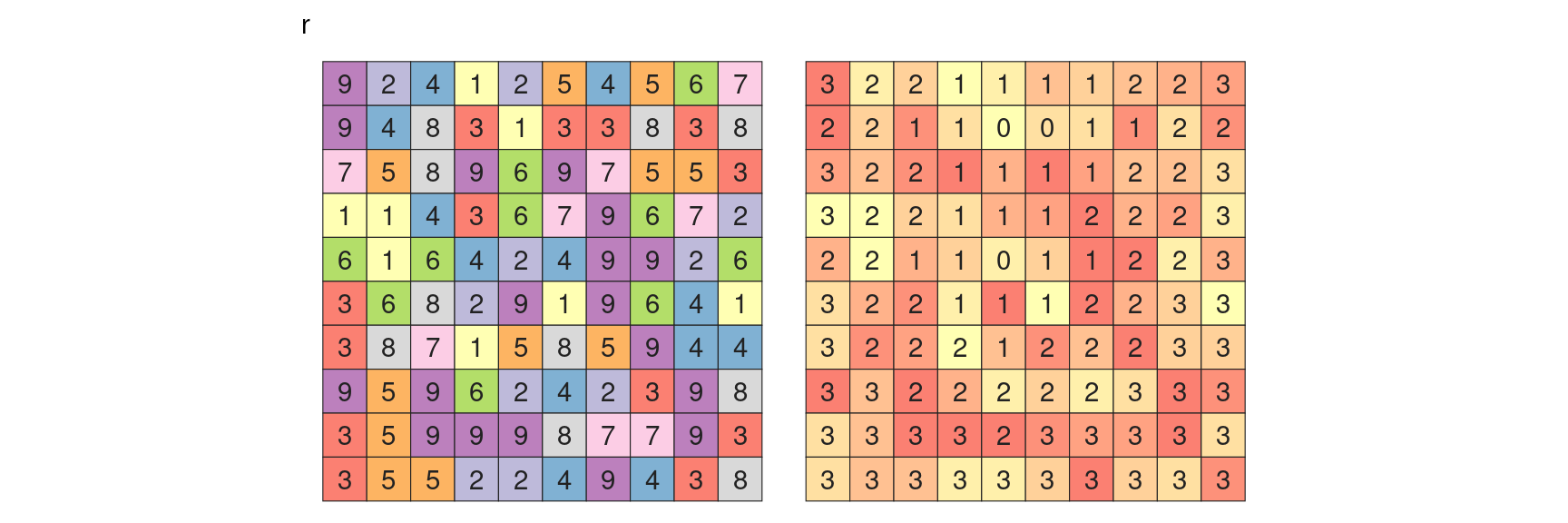
Zonal analysis consider group of cells in an irregular, but conitguous (in space or value) manner.
zonal

QUO VADIS?

zonal(r, z, mean)
zone value
0 2.0
1 5.3
2 5.6
3 5.2

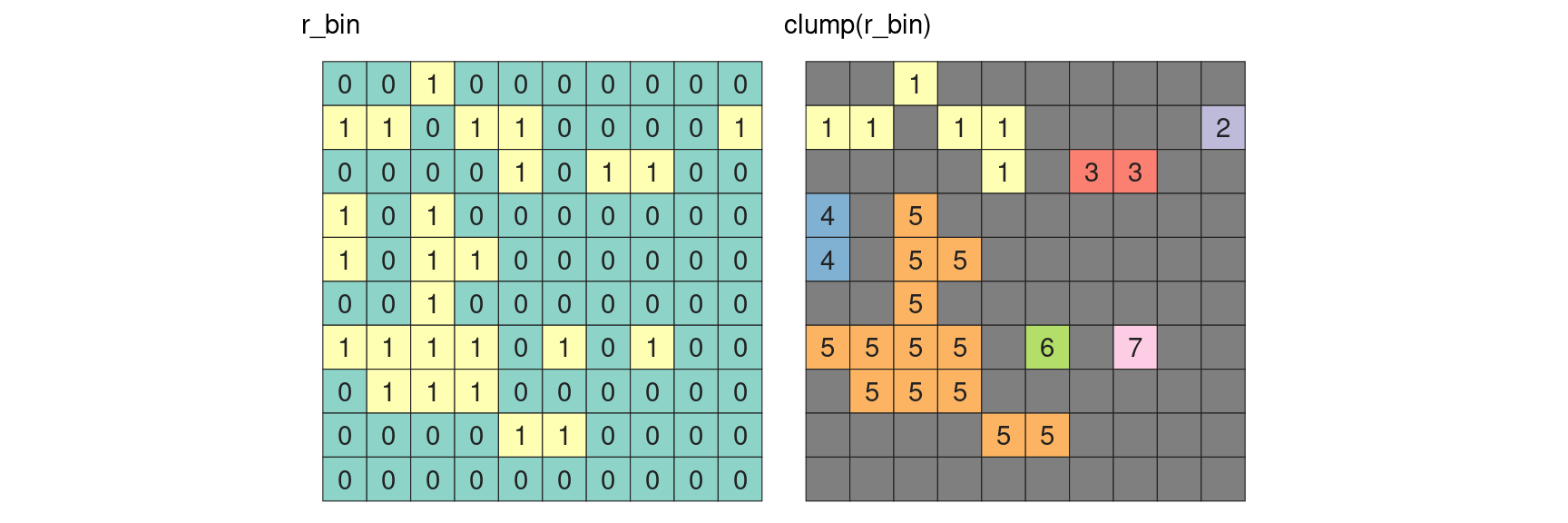
clump

boundaries

“Detect boundaries (edges). boundaries are cells that have more than one class in the 4 or 8 cells surrounding it, or, if classes=FALSE, cells with values and cells with NA.”

extract

extract(r, pt)
#> [1] 8
extract(r, ln)
#> [[1]]
#>  [1] 6 7 6 4 2 6 8 8 9 5 3
extract(r, poly)
#> [[1]]
#>  [1] 6 9 3 6 7 9 2 4 9 9 1 9 5 8 5

rasterize

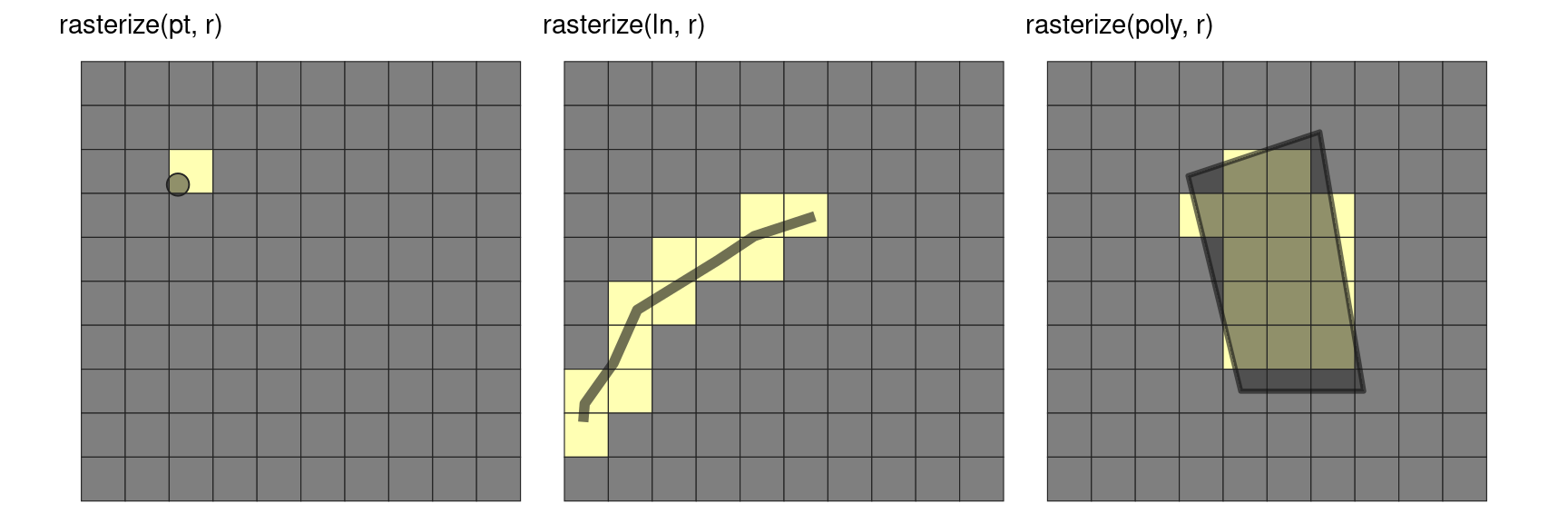
Note that polygon rasterization is by default looking at cell centroid overlap,

Statistical

Statistical operations summarize the raster information

density

histogram

hist(r)

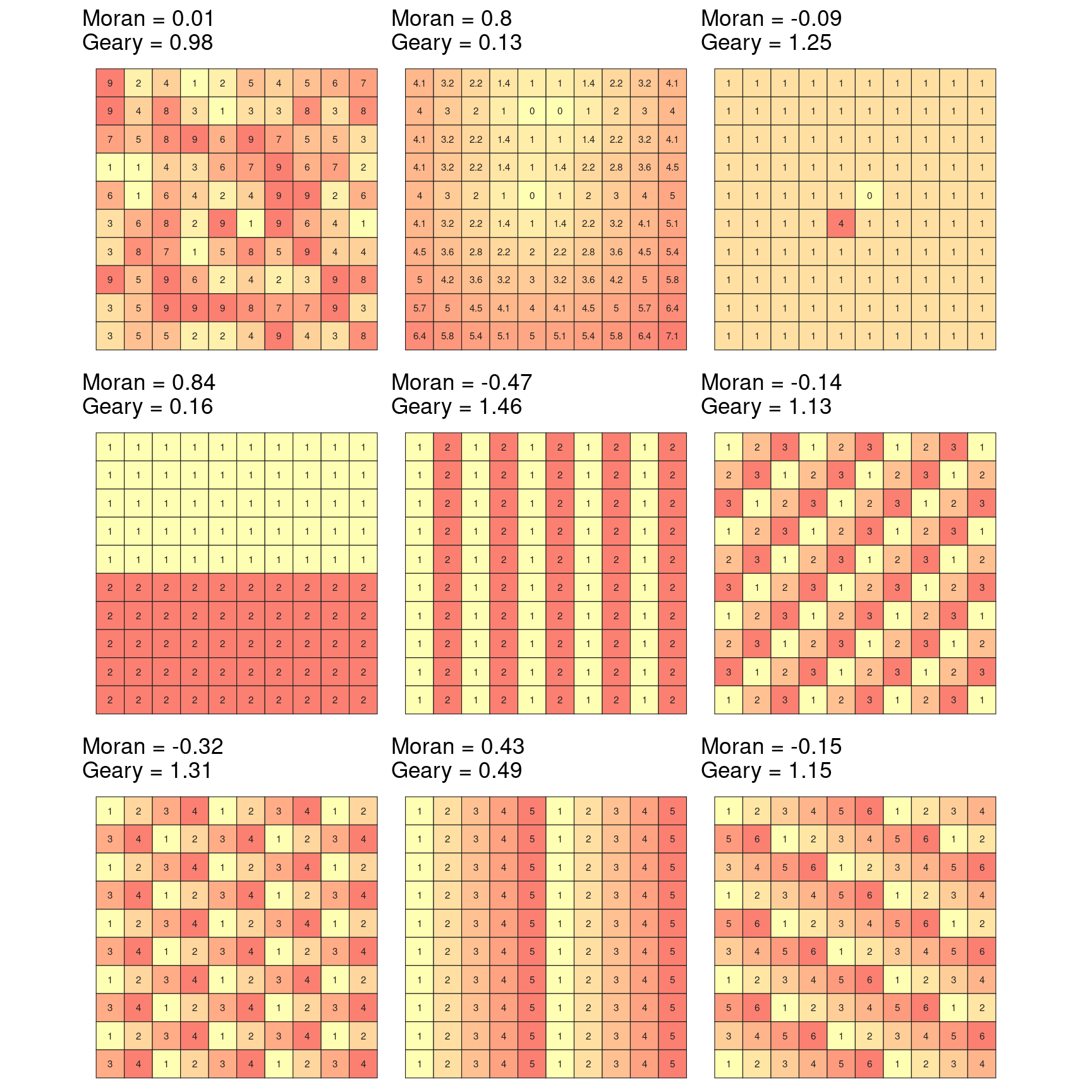
Spatial autocorrelation

Moran(r)
Geary(r)

Geometric

extent

extent(r)

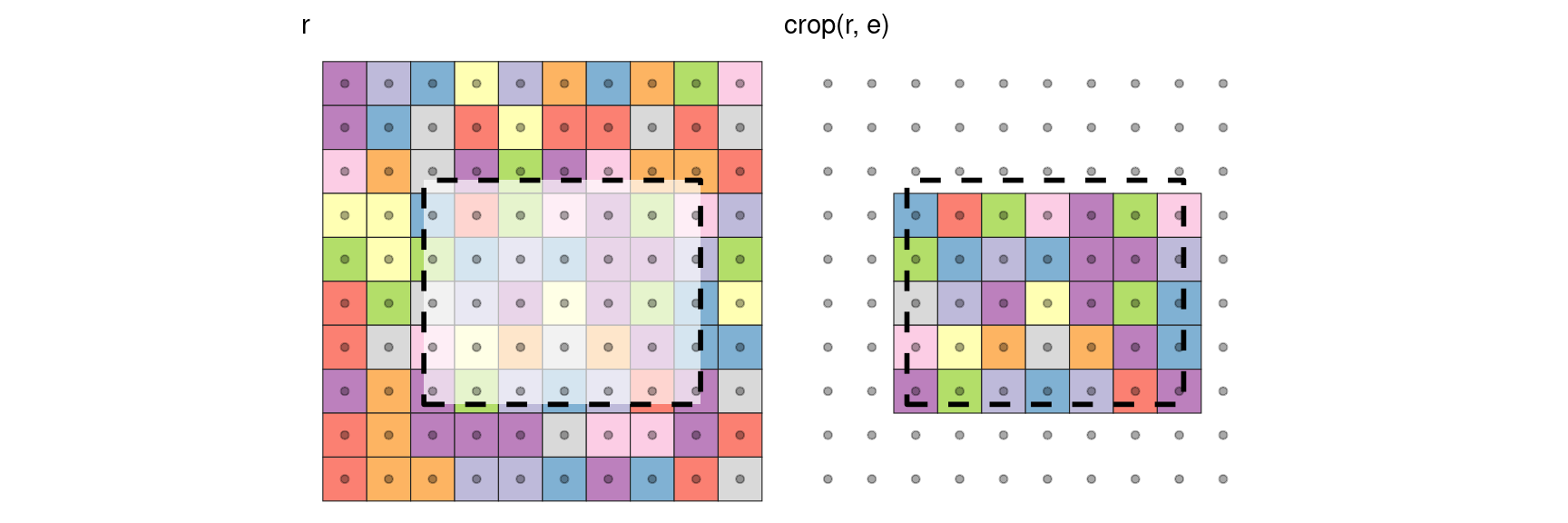
crop

e = extent(0.23, 0.86, 0.22, 0.73)

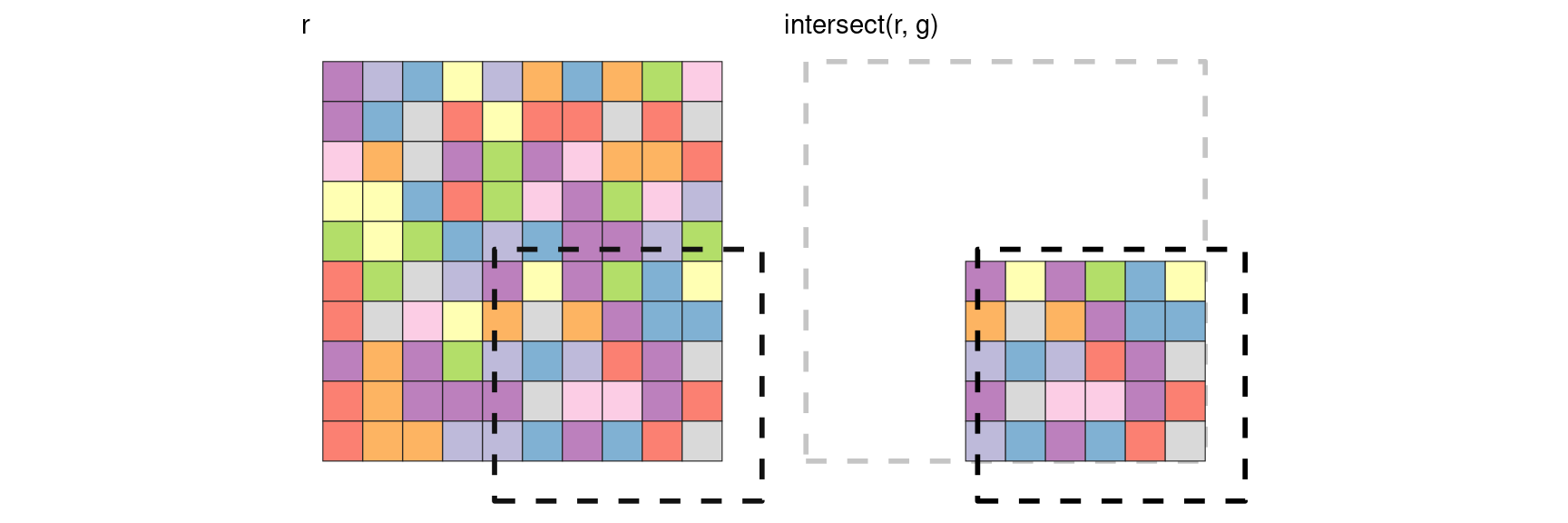
intersect

g = extent(0.43, 1.1, -0.1, 0.53)

`

cellsFromExtent

cellsFromExtent(r, g)
#>  [1]  55  56  57  58  59  60  65  66  67  68  69  70  75  76  77  78  79  80  85
#> [20]  86  87  88  89  90  95  96  97  98  99 100

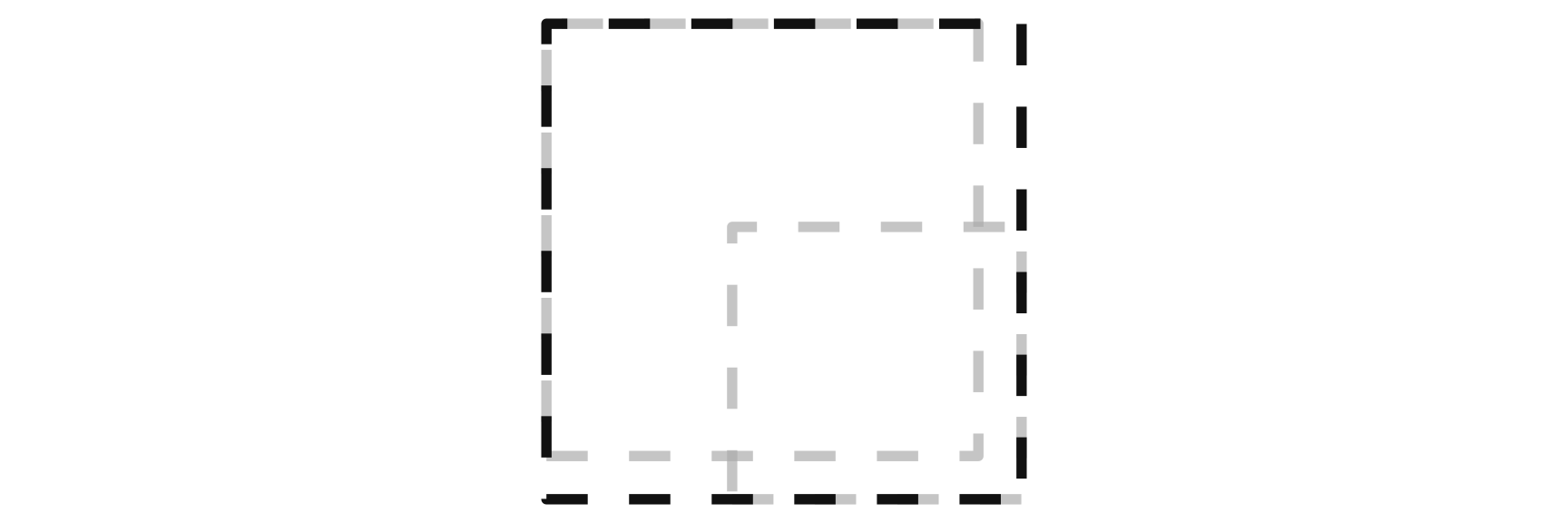
union

union(extent(r), g)

flip

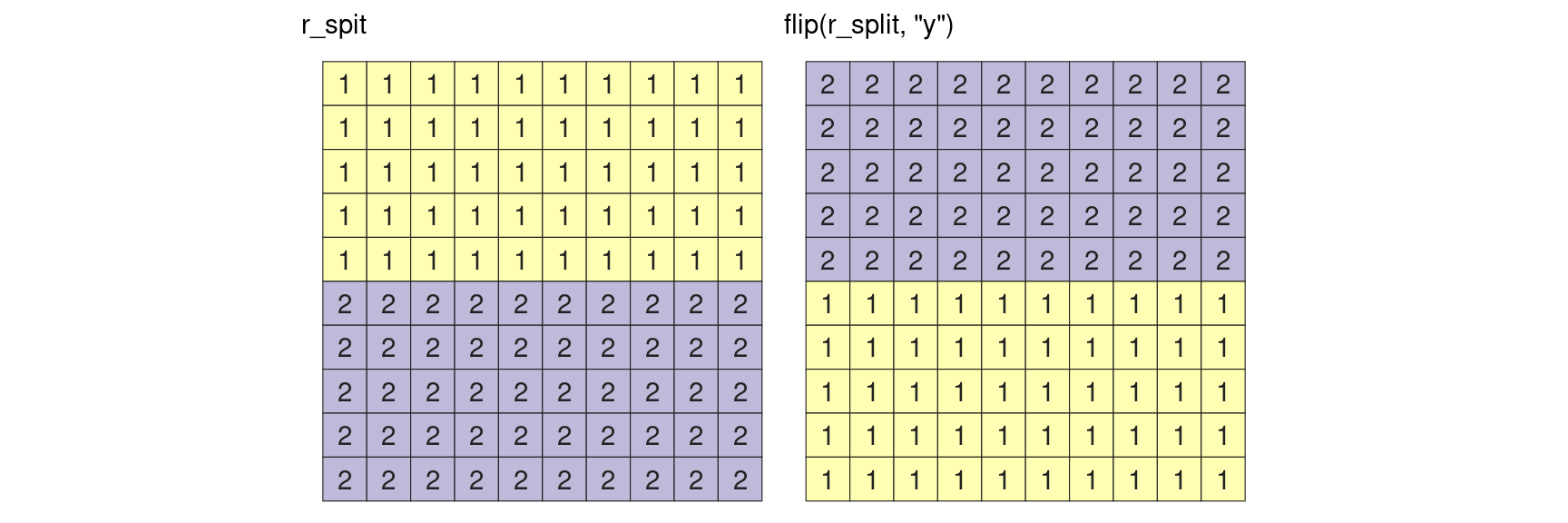
flip(r_split, "y")

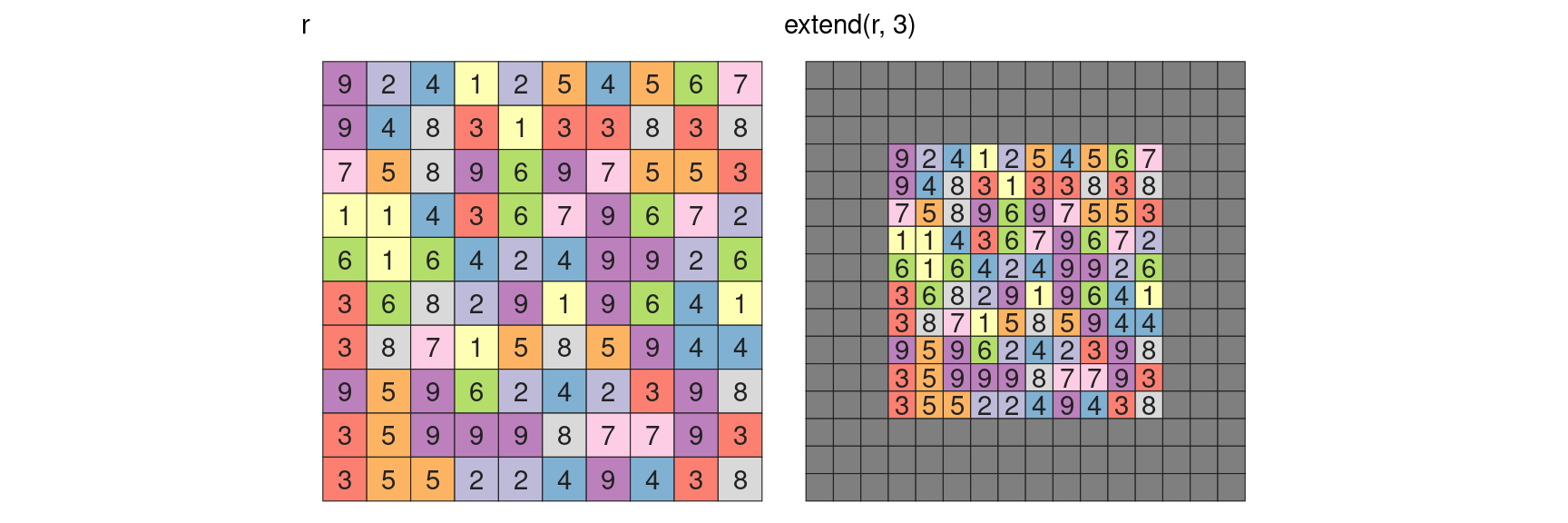
extend

mosaic

rasterToPoints

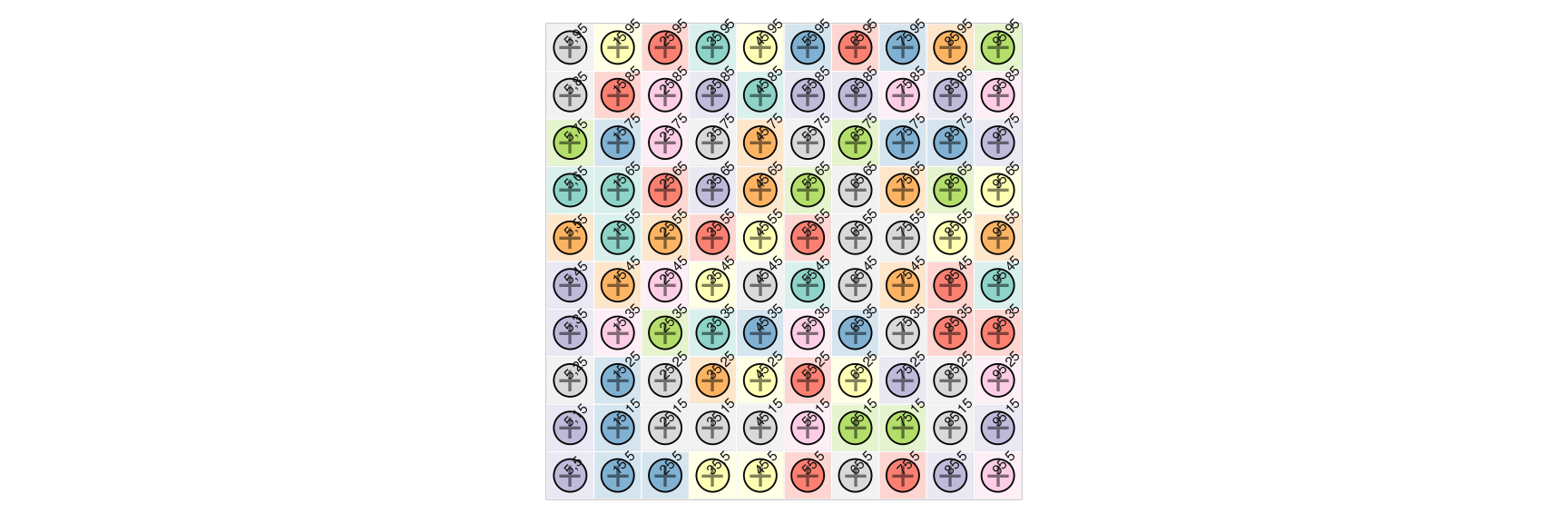
pts = rasterToPoints(r)

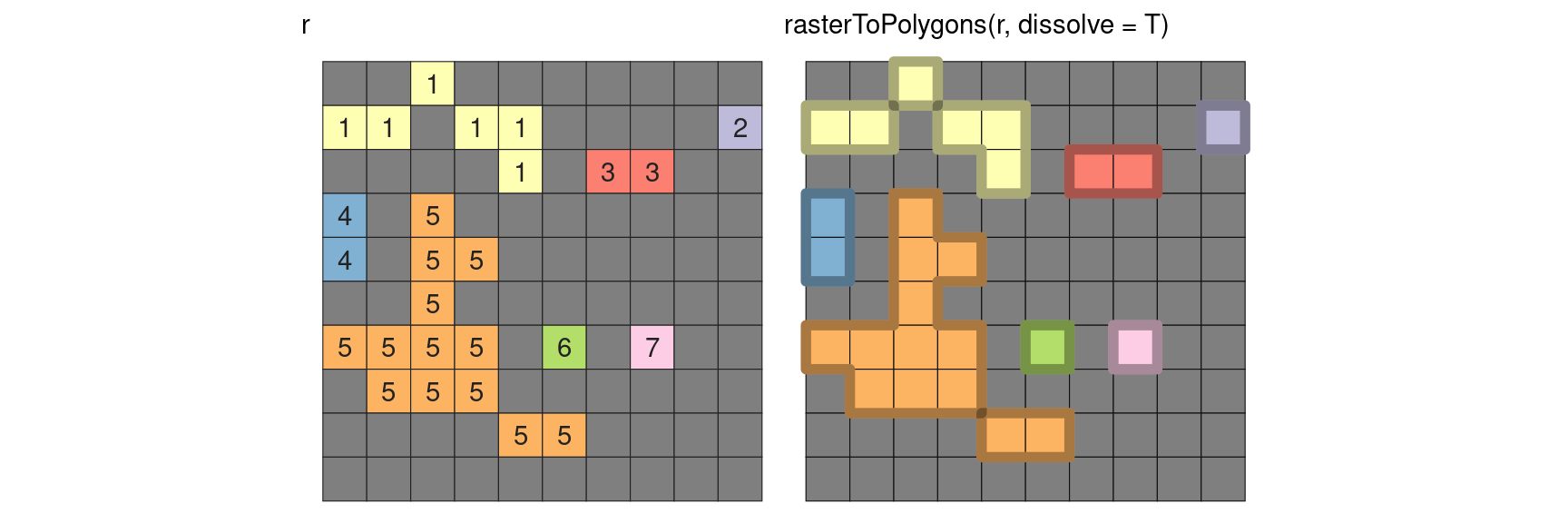
rasterToPolygons

Terrain

terrain

r_terrain = terrain(v, opt = c("slope", "aspect", "tpi", "tri", "roughness", "flowdir"))
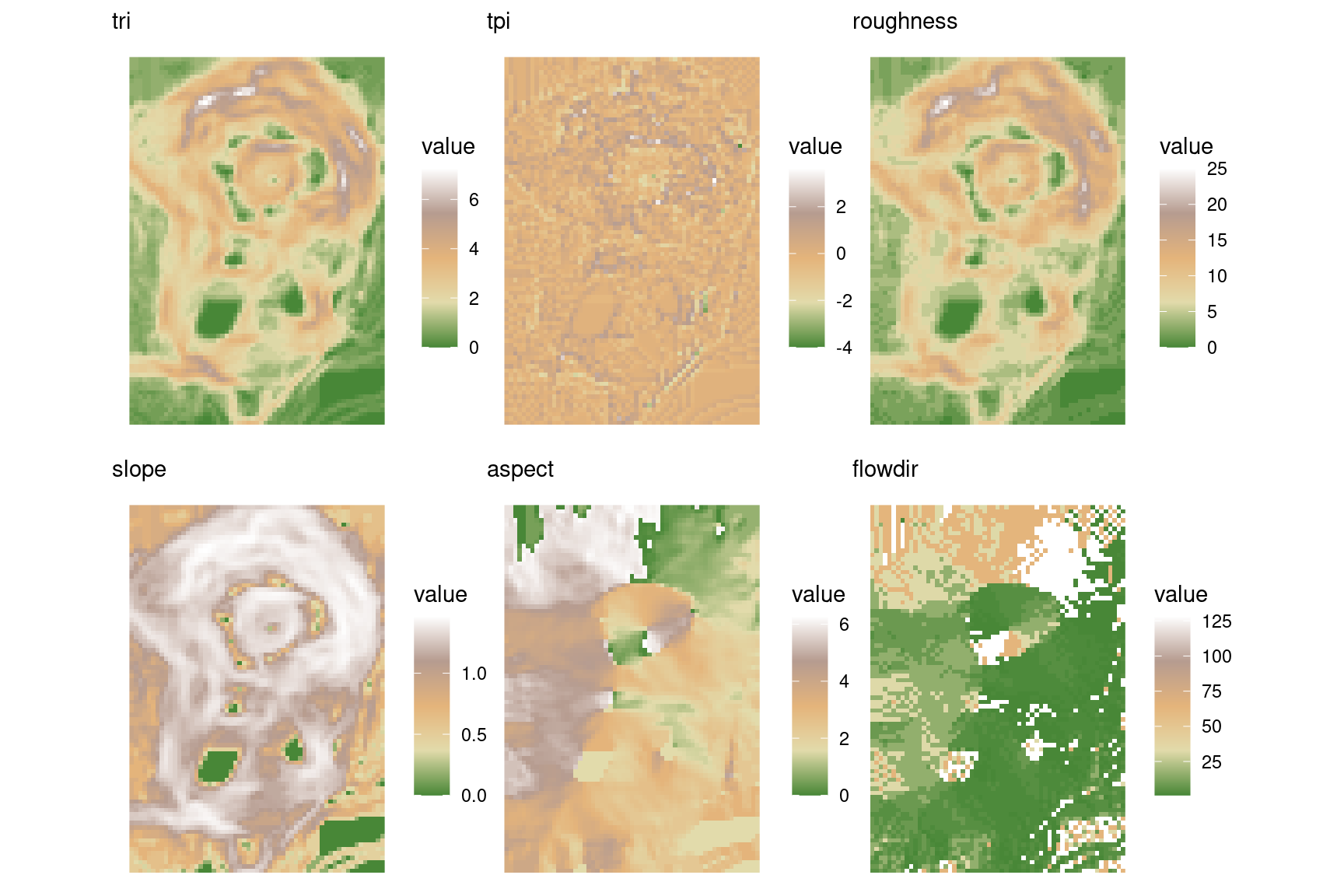
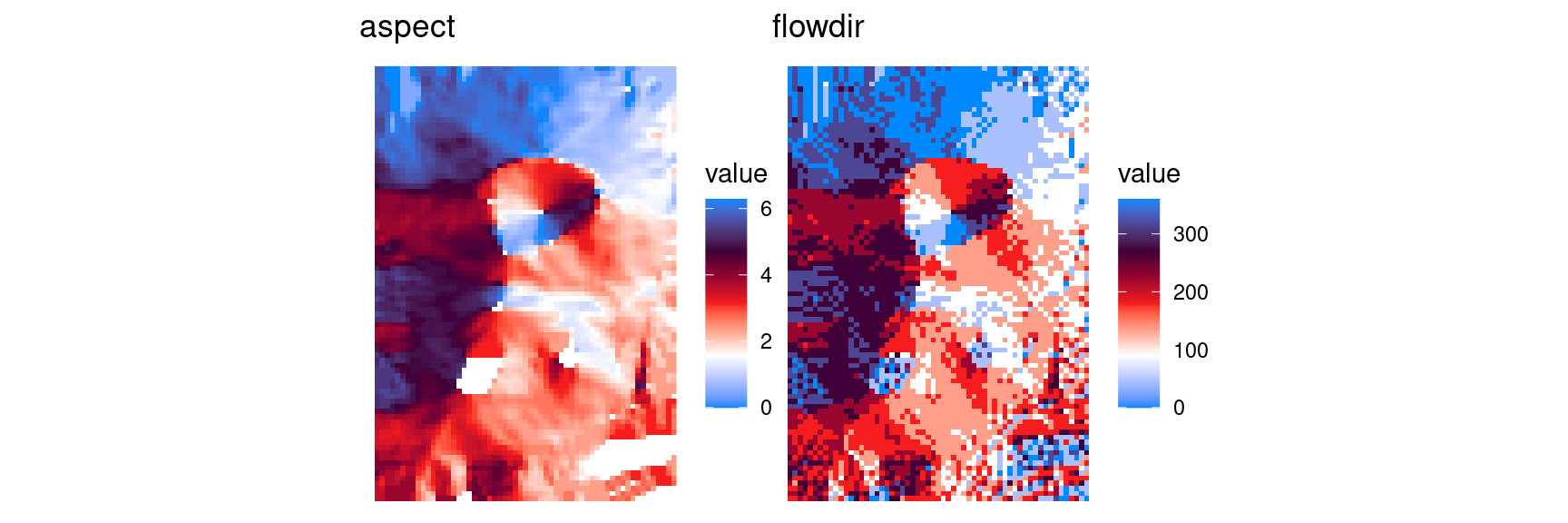
Angular data can sometimes be better expressed using a circular palette. In the following figure, blue is North orientation, while South is red. Both colors reach black at West and white at East. The preceeding figure had some sharp edges on North faces, when angle slightly changed from 360 to 0.
hillShade

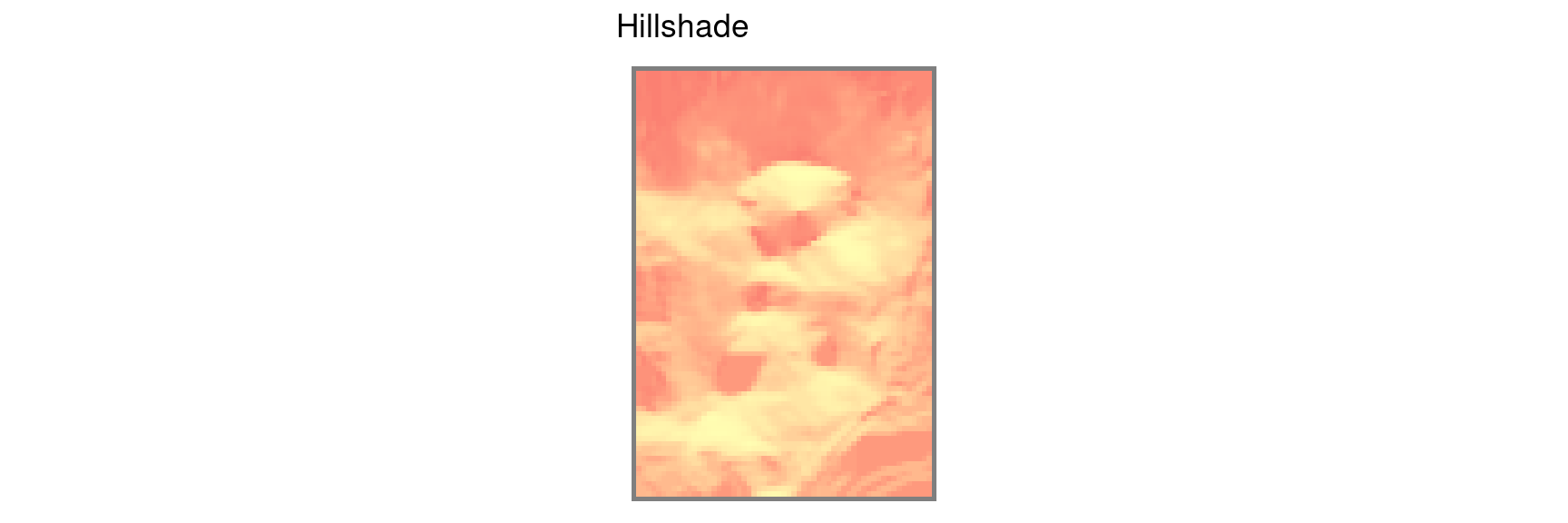
r_hill = hillShade(r_terrain[["slope"]], r_terrain[["aspect"]])

interpolate

tps = Tps(survey[, c("x", "y")], survey$layer)
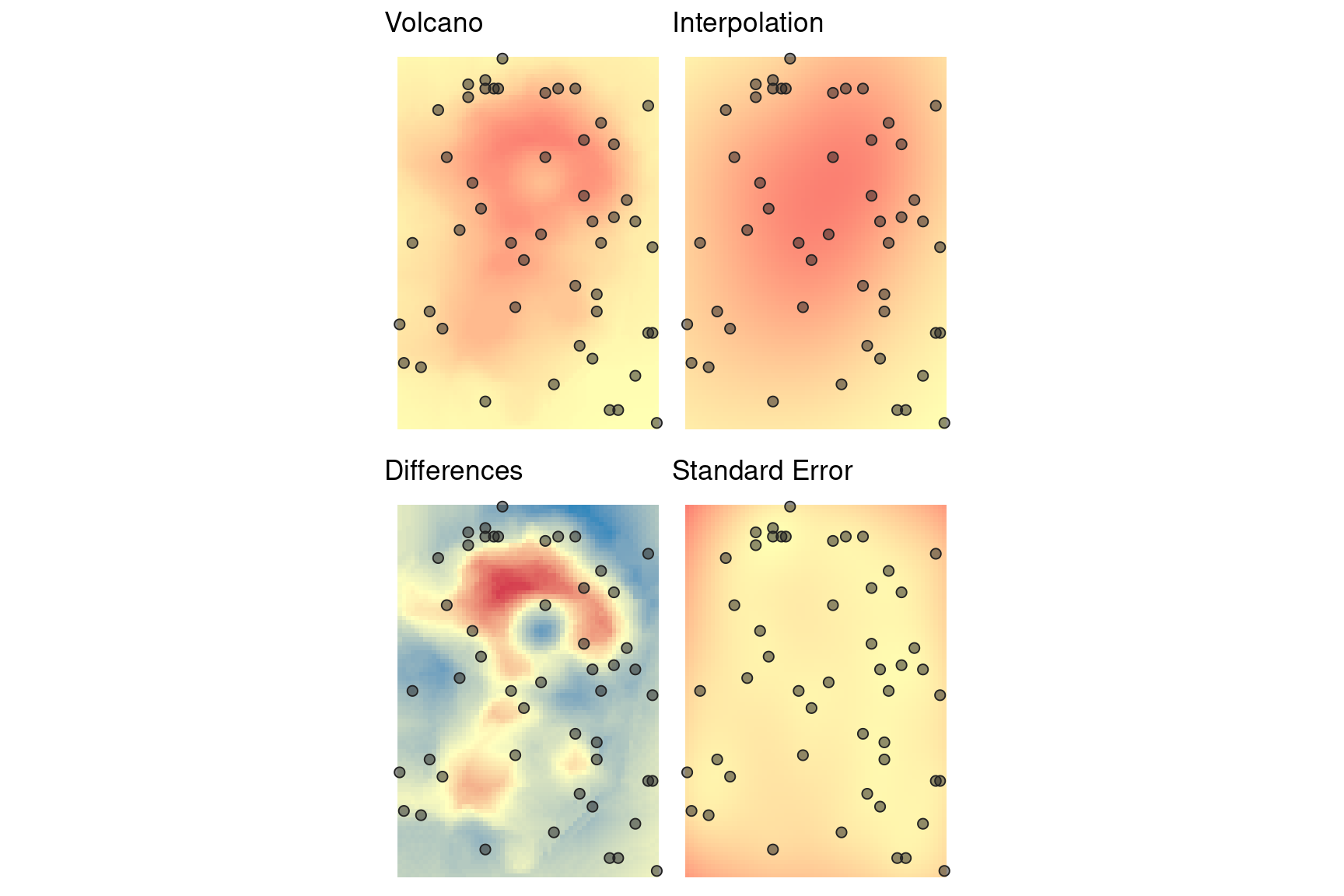
r_interpolate = interpolate(v, tps)

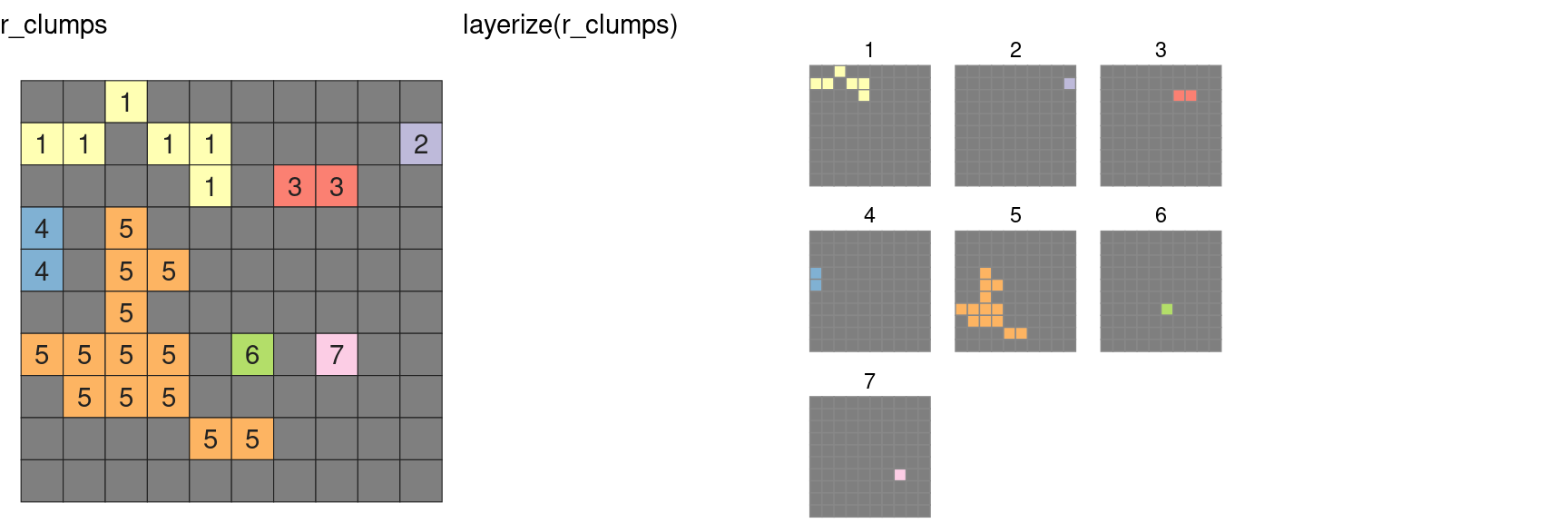
layerize